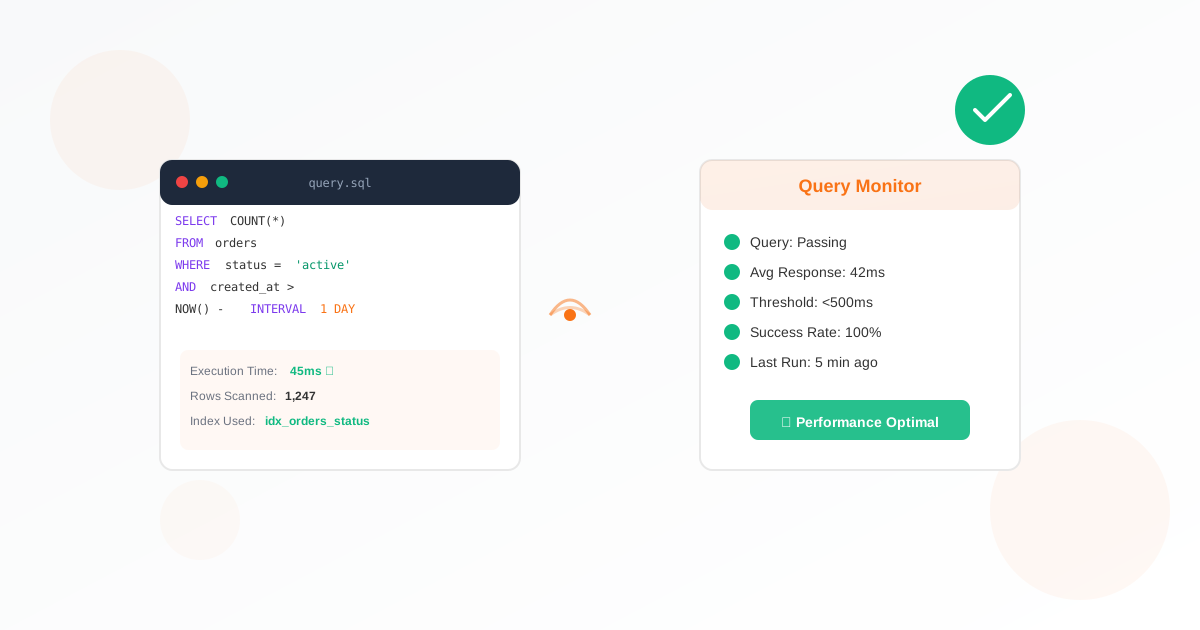
SQL query performance monitoring helps you identify slow queries before they impact your users. By tracking query execution times and results, you can catch performance regressions early and maintain optimal database performance. This guide walks you through setting up effective SQL query monitoring.
Why Monitor SQL Query Performance
Your application's speed depends heavily on database query performance. A single slow query can cascade into poor user experience, timeout errors, and lost revenue. Query performance monitoring provides visibility into:
- Which queries are running slowly
- How query performance changes over time
- When queries exceed acceptable thresholds
- The impact of schema or code changes on performance
Identifying Critical Queries to Monitor
You can't monitor every query, so focus on the ones that matter most:
High-Frequency Queries
Queries that run thousands of times per hour have outsized impact. Even small slowdowns multiply across all executions. Identify your most frequent queries from your application logs or database slow query log.
User-Facing Transactions
Queries that directly affect user experience deserve monitoring priority. Login queries, search functions, and checkout processes should be tracked closely.
Business-Critical Reports
If leadership relies on certain reports, monitor the underlying queries. A failing daily sales report can disrupt decision-making across the organization.
Setting Up Query Monitoring
With Exomonitor's SQL query report monitoring, you can track query performance in minutes:
- Define your test query - Write a query that represents normal database operation
- Set performance thresholds - Define acceptable execution time (e.g., under 500ms)
- Configure check frequency - Balance monitoring coverage with database load
- Set up alerting - Get notified when queries exceed thresholds
Effective Test Queries
Your monitoring queries should be representative but lightweight:
Good Test Query Examples
- SELECT COUNT(*) FROM orders WHERE date > NOW() - INTERVAL 1 DAY - Tests index usage and recent data access
- SELECT id, name FROM products WHERE category = 'active' LIMIT 10 - Tests common lookup patterns
- SELECT SUM(amount) FROM transactions WHERE status = 'complete' - Tests aggregation performance
Avoid These Patterns
- Full table scans on large tables
- Queries that modify data (INSERT, UPDATE, DELETE)
- Queries with highly variable execution times
- Queries that lock tables for extended periods
Setting Appropriate Thresholds
Threshold setting requires balancing sensitivity with false positives:
- Baseline first - Run queries for a week to establish normal performance
- Use percentiles - Set thresholds at 2x the 95th percentile baseline
- Account for variation - Databases perform differently at peak vs off-peak hours
- Adjust over time - Review and tune thresholds monthly
Responding to Performance Alerts
When a query performance alert fires, follow this investigation process:
- Verify the issue - Run the query manually to confirm slowness
- Check for locks - Look for blocking queries or deadlocks
- Review execution plan - Use EXPLAIN to see how the query runs
- Check recent changes - Look for recent deployments or data changes
- Examine resource usage - Check CPU, memory, and disk I/O on the database server
Integrating with Your Monitoring Stack
SQL query monitoring works best alongside other monitoring:
- Database connection monitoring for availability
- Web monitoring for end-user experience
- Application performance monitoring for full-stack visibility
Get Started Today
Don't wait for slow queries to frustrate your users. Set up SQL query performance monitoring with Exomonitor and get visibility into your database performance within minutes.
Start your free trial and catch query problems before they become outages.
Ready to start monitoring?
Get instant alerts when issues occur, so you can quickly troubleshoot and fix problems.
Flexible monitoring:
- Select the frequency that works for your needs
- Stop or pause the monitor at any time
- Pricing updates automatically based on frequency
- Set up monitors before entering payment details