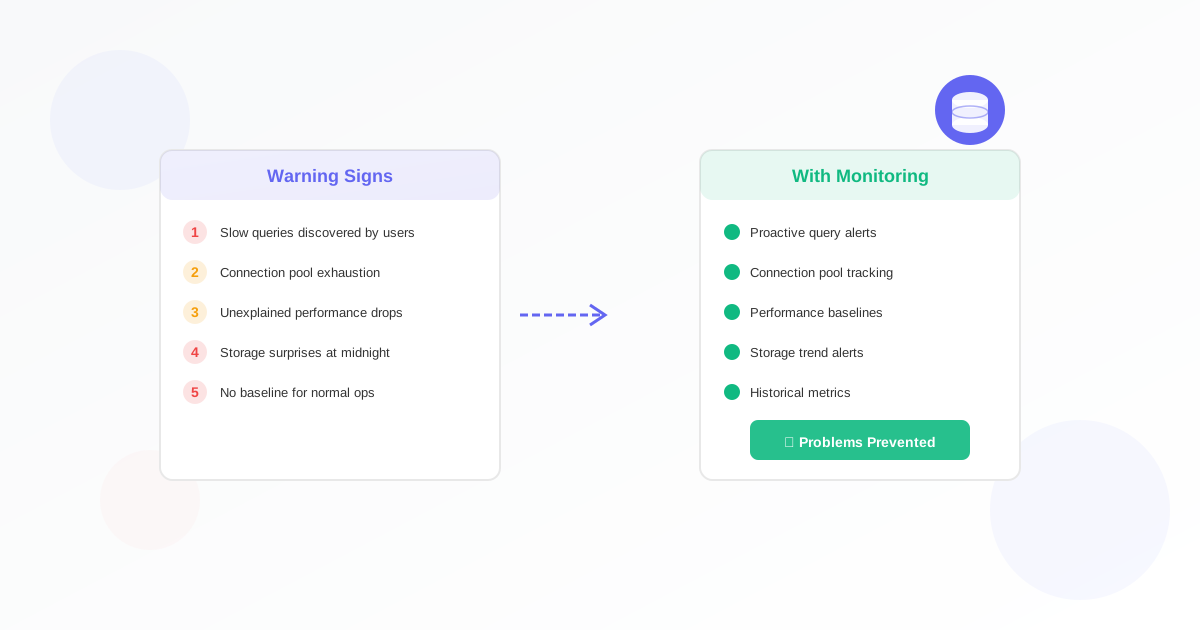
Is your database monitoring up to the task? Many organizations think they have adequate monitoring in place, only to discover critical blind spots during an outage. Here are five warning signs that your database monitoring needs an upgrade.
1. You Discover Problems from User Complaints
If your users are reporting database issues before your monitoring system alerts you, something is seriously wrong. Customers experiencing slow page loads or failed transactions should never be your first line of detection.
Effective database monitoring catches connection failures and performance degradation within minutes, not hours. If users consistently beat your alerts, it's time to implement proactive monitoring with shorter check intervals.
What to Fix
- Reduce monitoring intervals to 1-2 minutes for critical databases
- Monitor actual query execution, not just port availability
- Set up synthetic transactions that mimic real user behavior
2. You Can't Explain Performance Trends
When someone asks "Why was the database slow last Tuesday?", can you answer with data? Without historical metrics, you're left guessing. Good monitoring provides a clear picture of performance over time.
Tracking trends helps you identify gradual degradation before it becomes critical. A query that takes 100ms today but took 50ms last month indicates a growing problem.
What to Fix
- Implement SQL query report monitoring for key transactions
- Store at least 30 days of historical performance data
- Create dashboards showing week-over-week comparisons
3. Alert Fatigue Has Set In
When your team ignores alerts because there are too many false positives, you have a dangerous situation. Real problems get lost in the noise. This alert fatigue often leads to missed critical issues.
Quality monitoring means fewer, more meaningful alerts. Each notification should require action and provide enough context to start troubleshooting immediately.
What to Fix
- Audit your current alerts and eliminate noise
- Use graduated thresholds (warning vs critical)
- Require acknowledgment for critical alerts
- Review and tune thresholds monthly
4. You Only Monitor Availability
Checking if the database port is open tells you almost nothing. Your database can accept connections while being completely unusable due to locks, resource exhaustion, or corrupted data.
Comprehensive monitoring goes beyond simple ping checks to verify actual functionality. Can the database execute queries? Are response times acceptable? Is replication working?
What to Fix
- Execute test queries as part of health checks
- Monitor query response times against baselines
- Track connection pool utilization
- Verify replication status and lag for replicated setups
5. Capacity Planning Is Guesswork
If you can't predict when you'll need more database resources, your monitoring isn't giving you the data you need. Running out of disk space or hitting connection limits shouldn't be a surprise.
Good monitoring provides the metrics needed for accurate capacity planning. You should know weeks in advance when you'll need to scale up.
What to Fix
- Track disk usage growth rate and project exhaustion dates
- Monitor connection usage patterns throughout the day
- Set alerts at 70% capacity to allow planning time
- Review growth trends quarterly
Upgrade Your Database Monitoring Today
If any of these signs sound familiar, it's time to improve your monitoring strategy. Modern databases require modern monitoring that goes beyond simple availability checks.
Exomonitor's database monitoring provides comprehensive visibility into your database health. Set up connection monitoring, track query performance with SQL report monitoring, and get alerts that matter.
Don't wait for the next outage to reveal your monitoring gaps. Start your free trial and see what you've been missing.
Ready to start monitoring?
Get instant alerts when issues occur, so you can quickly troubleshoot and fix problems.
Flexible monitoring:
- Select the frequency that works for your needs
- Stop or pause the monitor at any time
- Pricing updates automatically based on frequency
- Set up monitors before entering payment details